
A training tool
ChessBase 15 is a great aid to the training regimen of players of all levels. But some people may be searching for ideas on how to use it best. Here's an introduction to a simple but powerful tool for improvement.
How to load the integrated training database?
Open ChessBase 15, go to "Home" and click "Open".

Next, select the database "Best Games For Replay Training".
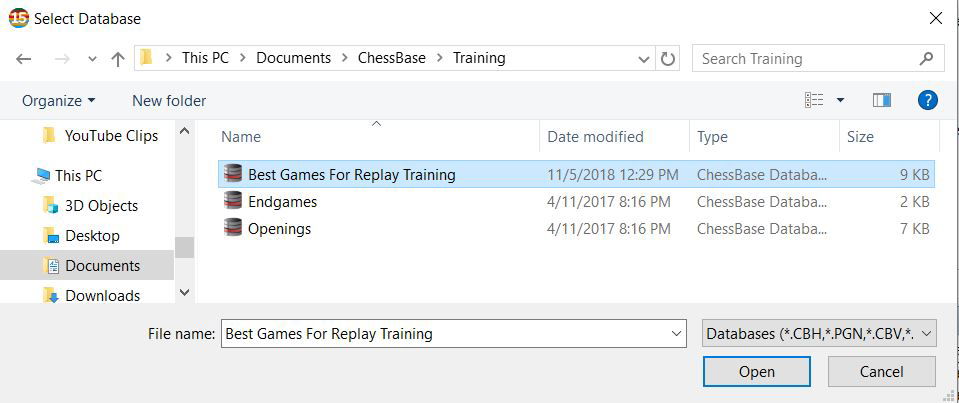
Can't find the training database?
Try to install it: Open Windows Explorer and enter — or copy/paste — the path to the installation file:
C:\Program Files\Common Files\ChessBase\InstallUserDocs\CBase15\SetupReplayTraining.exe
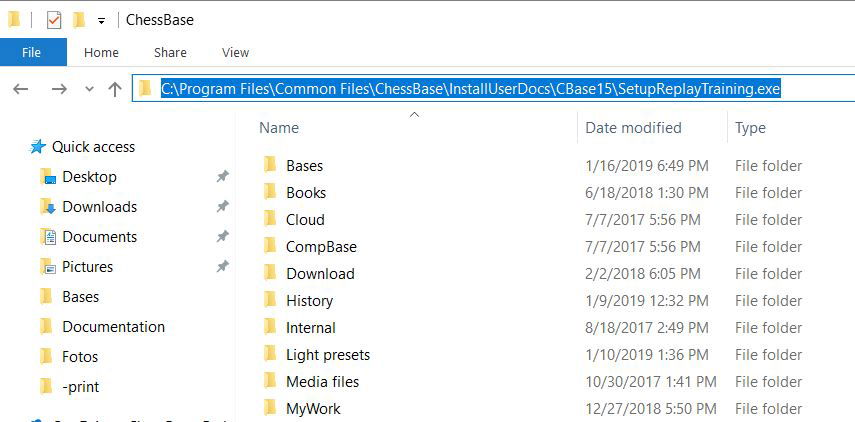
After pressing "Enter" the installation dialogue to install the ChessBase 15 training database opens:
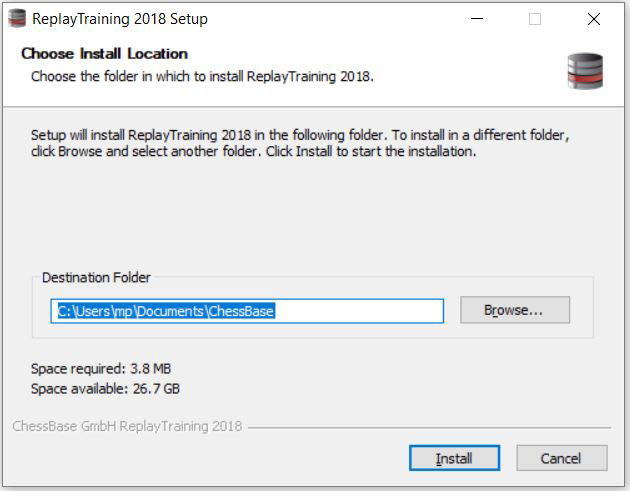
Now restart ChessBase 15 and load the training database ("Home" → "Open"). By default you should find the training database under the following path:
This PC → OS (C:) → User → (Your Windows username) → Documents → ChessBase → Training
A double-click opens the training database and you can start the replay training.
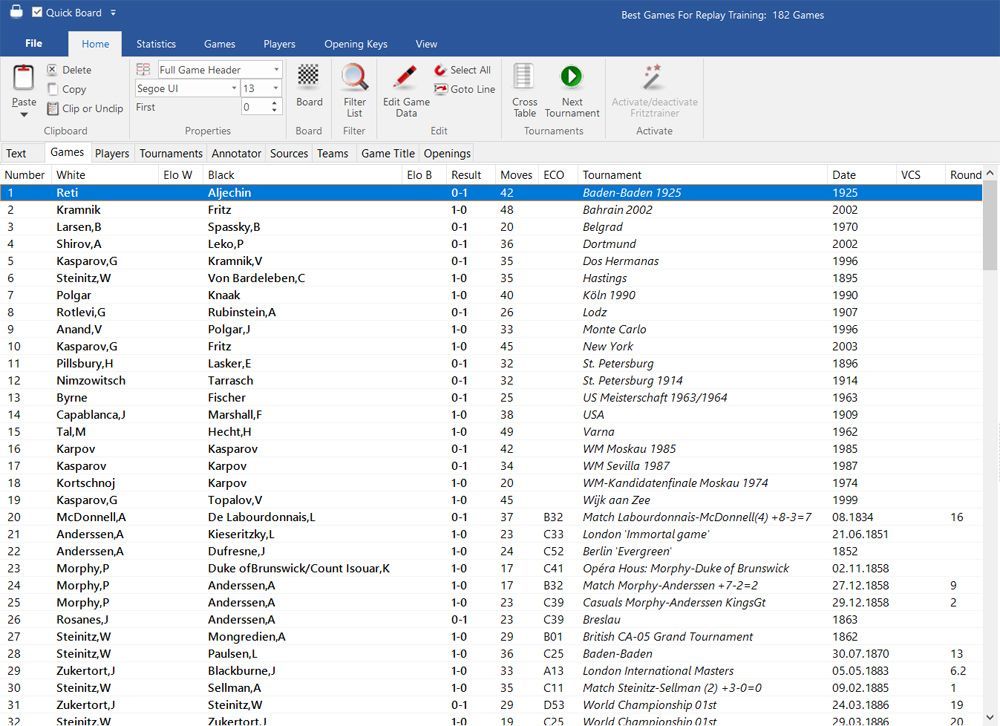
How best to use Replay Training
Learn more in detail about how to use the Replay Training feature:
- ChessBase 15: Replay Training (part 1)
- ChessBase 15: Replay Training (part 2)
About the Author

Chief editor Spanish ChessBase website es.chessbase.com, tutorials, marketing.


